Sell your Microsoft Tablet
Looking to sell a different device? Click here
Select your Microsoft series to sell
Surface Pro
Surface Pro 11
No offers yet
Surface Pro 10
No offers yet
Surface Pro 9 5G
No offers yet
Surface Pro 9
No offers yet
Surface Pro 8
No offers yet
Surface Pro 7+
No offers yet
Surface Pro X (SQ2)
No offers yet
Surface Pro X
No offers yet
Surface Pro 7
No offers yet
Surface Pro 6
No offers yet
Surface Pro 5 (2017)
No offers yet
Surface Pro 4
No offers yet
Surface Pro 3
No offers yet
Surface Pro 2
No offers yet
Surface Pro (1st Gen)
No offers yet
Surface Go
Other Surface
What affects your Microsoft tablet payout
Every offer on MyDeviceValue is set by a real buyback company against a specific Microsoft tablet. A few things move the number up or down more than anything else.
- Carrier lock. Unlocked Microsoft tablets typically beat carrier locked offers because more buyers can accept them. Each model page has a network selector so you can see your exact payout.
- Model and year. Newer Microsoft tablets hold the highest top prices. If you are deciding when to sell, the price drop is usually steepest in the first 30 days after a new generation launches.
- Accessories and account lock. Original box and charger usually do not change the offer, but a missing power button, dead biometrics, or activation lock will. Sign out of your accounts and disable Find My or Google account lock before shipping.
How to sell your Microsoft tablet in 4 steps
Pick your exact Microsoft tablet
Use the grid above to find your model. On each model page you can choose storage, carrier and condition so the offers shown match the device you have.
Compare offers and click through
every offer card links straight to the buyer’s checkout. MyDeviceValue is free and never takes a cut, so the price you click is the price you lock in.
Ship for free
Reset the Microsoft tablet, sign out of your accounts, remove your SIM if applicable, accept the prepaid label the buyer emails you, and drop the package at USPS, UPS, or FedEx depending on the buyer.
Get paid
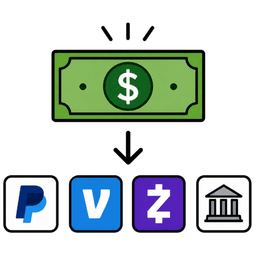
Inspection usually takes 1 to 2 business days after the device arrives. Payment is issued the same day inspection clears via PayPal, Venmo, Zelle, check, or ACH.
Microsoft tablet buyback FAQs
Is an unlocked Microsoft tablet worth more than a carrier locked one?
Usually, yes. Most vendors here accept both, but unlocked devices attract more bidders, which pushes the top price up. Use the network selector on each model page to filter offers to your specific carrier so you see the exact payout.
Can I sell a broken or cracked Microsoft tablet?
Buyers vary on whether they accept a damaged Microsoft tablet. Check the Faulty grade on your model page. If no offers appear, the device may currently be uneconomic to recycle through buyback. Manufacturer recycling or a local repair shop are usually the next best routes.
How long does it take to get paid for a Microsoft tablet?
Once you accept an offer, most vendors send a prepaid shipping label within 24 hours. Inspection takes 1 to 2 business days after the device arrives, and payment is typically issued the same day inspection clears. End to end, expect 7 to 10 business days from when you ship.
Is it safer to trade in my Microsoft tablet with my carrier or manufacturer instead?
Carrier and manufacturer trade in programs are convenient but usually pay in store credit at well below open market rates. The buyback companies on MyDeviceValue pay cash (PayPal, Venmo, Zelle, ACH, or check) and most sellers receive 20 to 40% more than the equivalent trade in.
More buyback pages
- Sell iPad
- Sell Galaxy Tab
- Sell Amazon tablet
- Sell Google tablet
- Sell Lenovo tablet
- Sell ASUS tablet
- Sell Acer tablet
- Sell HP tablet
- Sell Dell tablet
- Sell OnePlus tablet
- Sell Xiaomi tablet
- Sell LG tablet
- Sell Sony tablet
- Sell Motorola tablet
- Sell Toshiba tablet
- Sell HTC tablet
- Sell Nvidia tablet
- Sell BlackBerry tablet
- Sell Nokia tablet
- Sell reMarkable tablet
- Sell Kobo tablet
- Sell Barnes & Noble tablet
- Sell Archos tablet
- Sell Alcatel tablet
- Sell Hisense tablet
- Sell ZTE tablet
- Sell Wacom tablet
- Sell Panasonic tablet
- Sell Fujitsu tablet
- Sell Microsoft phone
- Sell Microsoft laptop
- Sell Microsoft accessory
- Sell Microsoft earphones
- Sell Microsoft headphones
- Sell Microsoft music player
- Sell Microsoft smart glasses
- Sell Microsoft game console